Included features
- ADM format, metadata, loudness and true-peak checks with reports.
- Ship delivery plans, file copies and SHA-256 manifests.
- Encode comparison reports are advisory; platform acceptance is not guaranteed.
Preflight an Atmos ADM BWF master, read each Pass, Warn, Fail or Skip, and inspect the report before delivery.
Specifications for music (Apple Music, Amazon, TIDAL, UMG, Sony, Warner, Tencent Music and more), film and TV (Netflix, Apple TV, Prime Video, HBO Max, Paramount+) and Eclipsa Audio for YouTube. Read the rejection cause before the rejection letter arrives.
macOS 13.0 or later · Apple Silicon and Intel · Developer ID signed · Apple notarized · 30-day trial
Version 1.0.14


UTUVO QC · US$19 · One app, one-time purchase. Other UTUVO apps are separate purchases.
| System requirements | macOS 13.0 or later · Apple Silicon and Intel |
|---|---|
| Licence | No subscription. Buy once, use the purchased major version and every update within that major. 3 of your own Macs. Terms |
| Move or reinstall | Open the app on the old Mac, go to Settings and deactivate the licence there, then enter the same key on the new Mac. No email needed, and a licence covers 3 of your own Macs. Deactivate while the old Mac still has a network connection: if it is offline at that moment the app clears the licence locally but the seat can stay held on our side, and support@utuvo.app can release it for you. For reinstallation, use the same key. If activation cannot be completed, contact support with your order details. |
| Trial | Download and open the app for a 30-day full-feature trial. No card or account required. No automatic charge. |
| Refunds and support | 14-calendar-day no-reason refund period. Refund policy · support@utuvo.app Include your order number for refunds, or app/macOS versions and reproduction steps for issues. |
| Updates | Read the update and maintenance policy ↗ |
Product demo
Twenty-two delivery checks, one clear verdict per row, with the reason behind every warning or failure.
Platforms publish the rules. They rarely tell you which one you broke. Below are eight rejection causes the delivery specs name, each paired with the QC check that catches it, and the full table of all twenty-two checks against the threshold and confidence that drives the verdict.


These checks target the rejection reasons the specs actually name. Every result is a pre-delivery reference, not the sole basis for whether a platform accepts the file; the honest scope is that the known rejection causes have been checked.
Confirmed is a hard must against the spec the platform publishes. Advisory is a recommendation; the platform may still accept, but the engineer should know.
| Check | Threshold | Confidence |
|---|---|---|
| Sample rate | 48 kHz | Confirmed |
| Bit depth | ≥ 24-bit | Confirmed |
| ADM metadata | chna + axml present | Confirmed |
| Bed layout | 7.1.2 baseline | Advisory |
| LFE channel | exactly one | Confirmed |
| LFE band-limit | LF only (HF ratio) | Advisory |
| Object count | ≤ 118 | Confirmed |
| Object positions | ±1.0, finite, every dynamic keyframe | Confirmed |
| Programme start | 00:00:00.00000 | Advisory |
| Binaural metadata | not all Off | Advisory |
| Channel count | ≤ 128 | Advisory |
| Silent objects | none silent | Advisory |
| Height content | real height present | Advisory |
| True peak | ≤ −1 dBTP (BS.1770-4, 4x oversampling) | Confirmed |
| Integrated loudness | −20 to −18 LUFS (Apple window) | Advisory |
| Stereo alignment | ≤ 50 ms | Advisory |
| Duration match | ≤ 41.7 ms | Advisory |
| Dialnorm | present and consistent | Confirmed |
| Spatialization authenticity | native vs upmix score | Advisory |
| File naming | platform naming rules | Advisory |
| DAMF package | .atmos attached at 96 kHz | Confirmed |
| Timecode frame rate | 24 fps | Confirmed |
The Dolby metadata chunk (dbmd) carries dialnorm, downmix coefficients, per-layout monitoring trims and the timecode frame rate. Most rejection letters never mention it, because most readers never open it. QC parses dbmd and the .atmos companion so the engineer sees what the delivery spec actually asks for.


Since 1.0.10, UTUVO QC measures loudness on a Renderer-style 5.1 loudness render of the ADM, with the master’s own render mode and trims (ITU-R BS.1770-4). On 396 test masters we built ourselves, it matches Dolby Atmos Renderer 5.5 on Integrated for 380 of 384, True Peak for 339 of 396 and Loudness Range for all 384. Every remaining difference is one 0.1 display step, on a value within 0.04 dB of a rounding edge.


Every result names its measurement basis. Size or diffuse objects, non-neutral balances and other cases outside the validated profiles fall back to an internal 7.1.4 render, labelled as not calibrated to Dolby Renderer. QC is not a certified Dolby-equivalent meter. When a delivery must quote the Renderer’s own figures, import its Entire-master Summary report: QC checks it belongs to the same master, then shows Dolby’s values.
Spatialization authenticity scores how likely a master is a native discrete Atmos mix rather than a stereo-to-Atmos upmix. ObjectMap adds a top-down view and a Height view, and draws each dynamic object’s trajectory as a flight trace through the room.


Upmixing a stereo catalogue to Atmos is a legitimate practice; upmixed masters routinely pass platform QC and ship. This check answers "native discrete or upmixed?", not "valid or invalid?".


Drop a folder, get one HTML report per master, and the batch ends with exit 0 (all pass), 1 (any warn) or 2 (any fail). GUI and CLI run the same Rust engine, so a delivery script on the studio NAS and a drag-and-drop session in the GUI share the same verdict.


Atmos MP4 (DD+ JOC) gets format and channel info read from the container. That is the honest scope: container-level checks only, not a full Atmos MP4 QC. When the input is an MP4, the report shows the red "Not a Deliverable Master" stamp so the engineer is never misled about what was checked.
The Ship tab takes the master that just passed and builds the delivery folder for you: tree, file names, manifest, checksums. Nothing is written until you have read the plan.


The Encode tab plays the EC-3 JOC through a 7.1.4 endpoint you choose, captures the system render in real time, aligns it to the ADM master and measures the difference channel by channel.


A guided tour walks the QC, Encode and Ship tabs with a spotlight and a pointer. Steps that need an action wait for you; steps that only explain move on with Got it. Replay it from the ? button in the header, from Settings, or from the Help menu.
macOS 13.0 or later · Apple Silicon and Intel
Status: Available. Download 1.0.14 above.
| Version | 1.0.14 |
|---|---|
| Requirements | macOS 13.0 or later · Apple Silicon and Intel |
| Size | 22,172,260 bytes |
| SHA-256 | cff3d3f8cbd1bd6a2cc7a56aecb82782234418c237588e4fbf21bb7258fe6890 |
| Signing | Developer ID signed · Apple notarized |
| Trial | 30 days, then a licence key |
Release notes: Signed and notarized for macOS. New in 1.0.14: QC checks Eclipsa Audio (IAMF) files for YouTube and the IAMF format, and adds film and TV Dolby Atmos specifications for Netflix, Apple TV, Prime Video, HBO Max, Paramount+, Disney+ reference values and the Dolby Atmos home master; dialogue-gated loudness is shown for reference, not judged. Music adds Tencent Music (QQ Music, Kugou, Kuwo), DistroKid, TuneCore, FUGA and PDUNITY. Apple Music now follows Apple's current guide: 48 or 96 kHz, integrated loudness at most -18 LKFS. The specification menu is grouped into Music, Film & TV and Eclipsa Audio.
A comparison of manual, separate steps and this tool’s workflow. Other tools can also do these jobs.
| Without UTUVO | With UTUVO |
|---|---|
| Read ADM metadata separately from the delivery checklist. | Inspect ADM metadata against the selected delivery profile. |
| Assemble loudness results from a separate measurement workflow. | Read the supported loudness measurements in the QC report. |
| Track unresolved checks in notes. | See each check as Pass, Warn, Fail or Skip. |
| Prepare a report for each master by hand. | Run folder batches and export self-contained HTML reports. |
| Copy passed masters and build a checksum list manually. | Review the Ship dry-run, then create copies with a SHA-256 manifest. |
Preflight reads the ADM master and reports its checks. It does not repair the source master. QC also has separate Encode and Ship workflows; the report is not a guarantee that a platform will accept a delivery.
Yes. CLI with automation exit codes (0/1/2; batch takes the worst result), plus folder batch checking and a self-contained HTML report you can print to PDF.
No. Fully offline, zero telemetry. Masters and reports stay local.
Download and open the app to evaluate all features for 30 days. No credit card or account is required. The trial does not turn into an automatic charge; purchasing is a separate decision.
It includes the major version you purchase and every update released within that major version. A future major version may be a separate optional one-time purchase or may be free. It is never charged automatically. If you buy within 30 calendar days before a new major becomes available, that new major is included at no charge.
Open the app on the old Mac, go to Settings and deactivate the licence there, then enter the same key on the new Mac. No email needed, and a licence covers 3 of your own Macs. Deactivate while the old Mac still has a network connection: if it is offline at that moment the app clears the licence locally but the seat can stay held on our side, and support@utuvo.app can release it for you.
The current download requires macOS 13.0 or later · Apple Silicon and Intel. Apple Silicon and Intel are supported; no Windows build. Try it on your working Mac before deciding to buy.
The 30-day full-feature trial is for evaluation before purchase. The 14-calendar-day no-reason refund period begins separately on the purchase date, so trial days do not reduce it. After 14 days, a simple change of mind is generally not refundable, while transaction errors, activation failure, nonconformity and statutory remedies remain covered.
Email support@utuvo.app. Within 14 days of purchase you can request a full refund without giving a reason; include your order number or licence key, or use the link in your order confirmation email. For a product issue, include the app version, macOS version and steps to reproduce it.
No. After a paid licence is successfully activated, it continues to work offline on that device. A network or verification-service failure alone cannot deactivate it. If the verification service permanently ends, we will provide a free way for lawful perpetual-licence holders to continue using, reinstalling and activating on a replacement compatible Mac within their device count.
UTUVO Work Series
Five independent tools for five different jobs around a session.
 UTUVO ScanMissing is a lazy answer.Available for macOS
 UTUVO PrepNames and heads. Two decisions, then it is done.Available for macOS
 UTUVO QCEvery known rejection reason, caught before you upload.Available for macOS
 UTUVO ManagerKnow your plugin rig before the session finds the problem.Available for macOS
 UTUVO CatalogA library that respects the masters.Invitation-only beta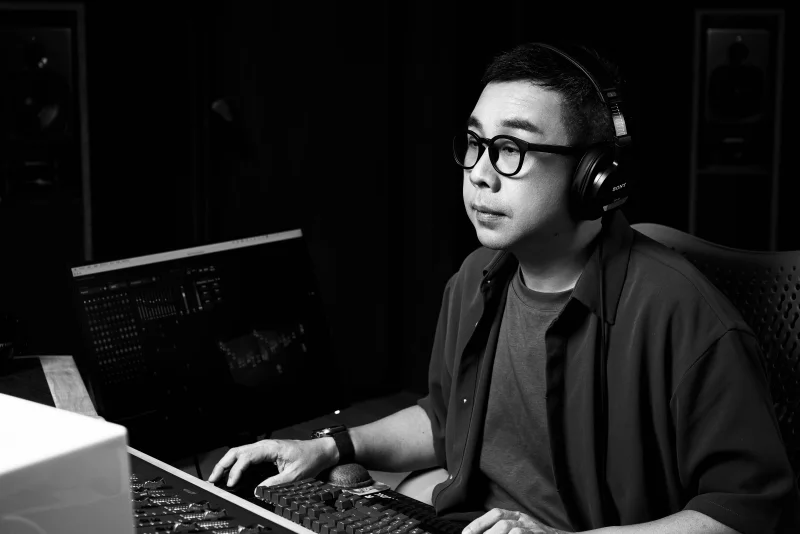
UTUVO is built by our team, led by Micky Yang.
He's a Tonmeister with 1,600+ Mandopop songs mixed in Dolby Atmos, four Golden Melody Awards for recording, and he teaches recording at university. Most tools are what engineers imagine recordists need. UTUVO is what a recordist built because he couldn't stand the existing ones.